
Back to browse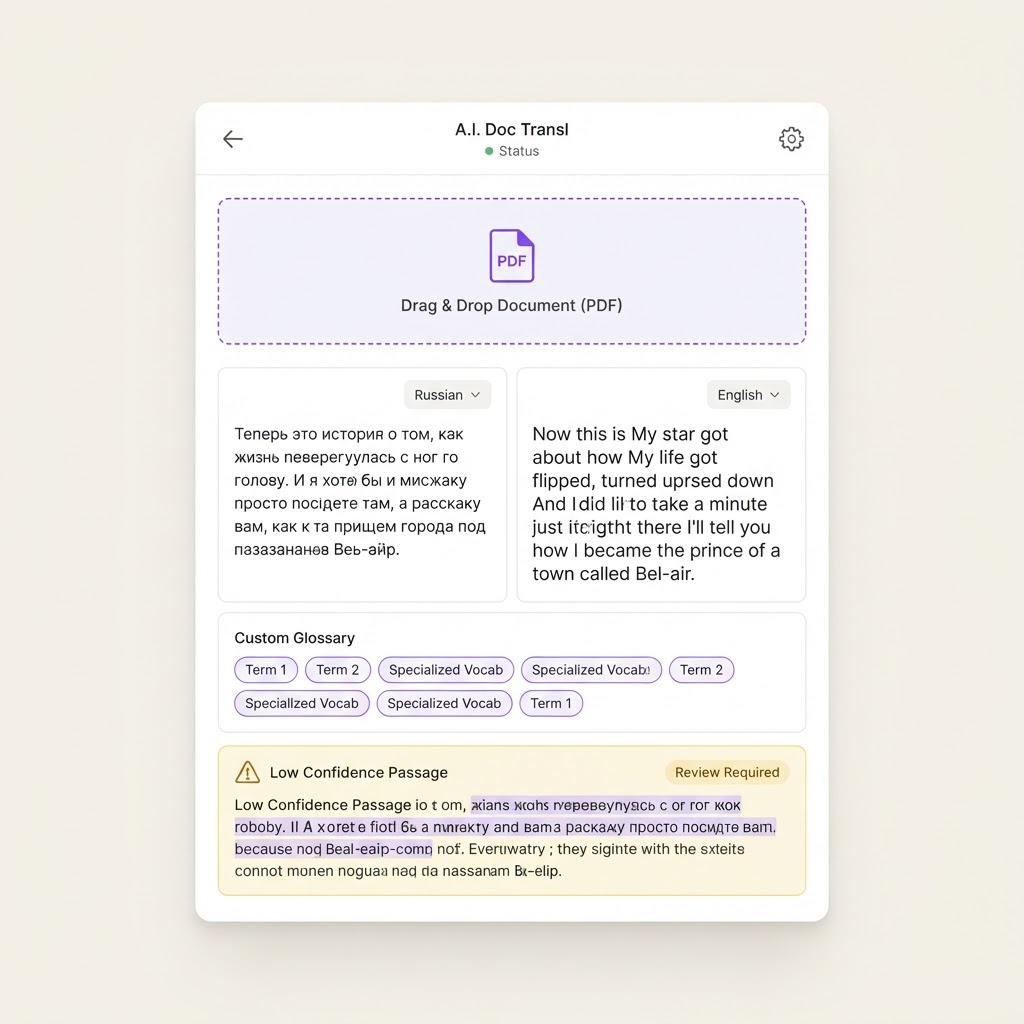
LIKELY · multi-day build
★ Featured
Yes, With Limits: AI Document Translation Tool
An upload-and-translate tool for PDFs and Word files that keeps a custom glossary, shows side-by-side text, and flags low-confidence passages for review.
BeginnerProductivity Tools
The Prompt
build-prompt.txt
Build in Base44 Affiliate
1. Upload zone for PDF, DOCX, and TXT files up to 50 pages, with language auto-detection. 2. Language pair picker with 100 plus target languages. 3. Cost and page estimate shown before the job runs, so users are never surprised. 4. Translation engine that processes documents in chunks, keeping paragraph order intact. 5. Side-by-side viewer: original on the left, translation on the right, synced by paragraph. 6. Custom glossary where brand names, product names, and fixed phrases are locked so they never get translated. 7. Tone options: neutral, formal business, or casual. 8. Confidence flags: passages the model marked as low quality get a review badge and a regenerate button. 9. Translation memory that saves approved sentences and reuses them for consistent future documents. 10. Export back to DOCX and plain text, plus a shareable read-only link.
FAQ
Can AI build Yes, With Limits: AI Document Translation Tool?
Calling a translation model over uploaded text is easy, and the app shell is simple. The limits are fidelity: complex document layout rarely survives machine translation perfectly, and long documents need chunking and cost controls. Flag, review, and export clean text and the tool is genuinely useful.
How hard is it to build Yes, With Limits: AI Document Translation Tool with AI?
It's rated Intermediate. Medium
What tools do I need to build Yes, With Limits: AI Document Translation Tool?
We recommend building it with Base44.
How long does it take to build Yes, With Limits: AI Document Translation Tool with AI?
See the build guide above for time estimates.
Related Builds


Not sure which tools to use?
Find your stack →New projects added weekly
Get the latest "can AI build it?" projects in your inbox.