
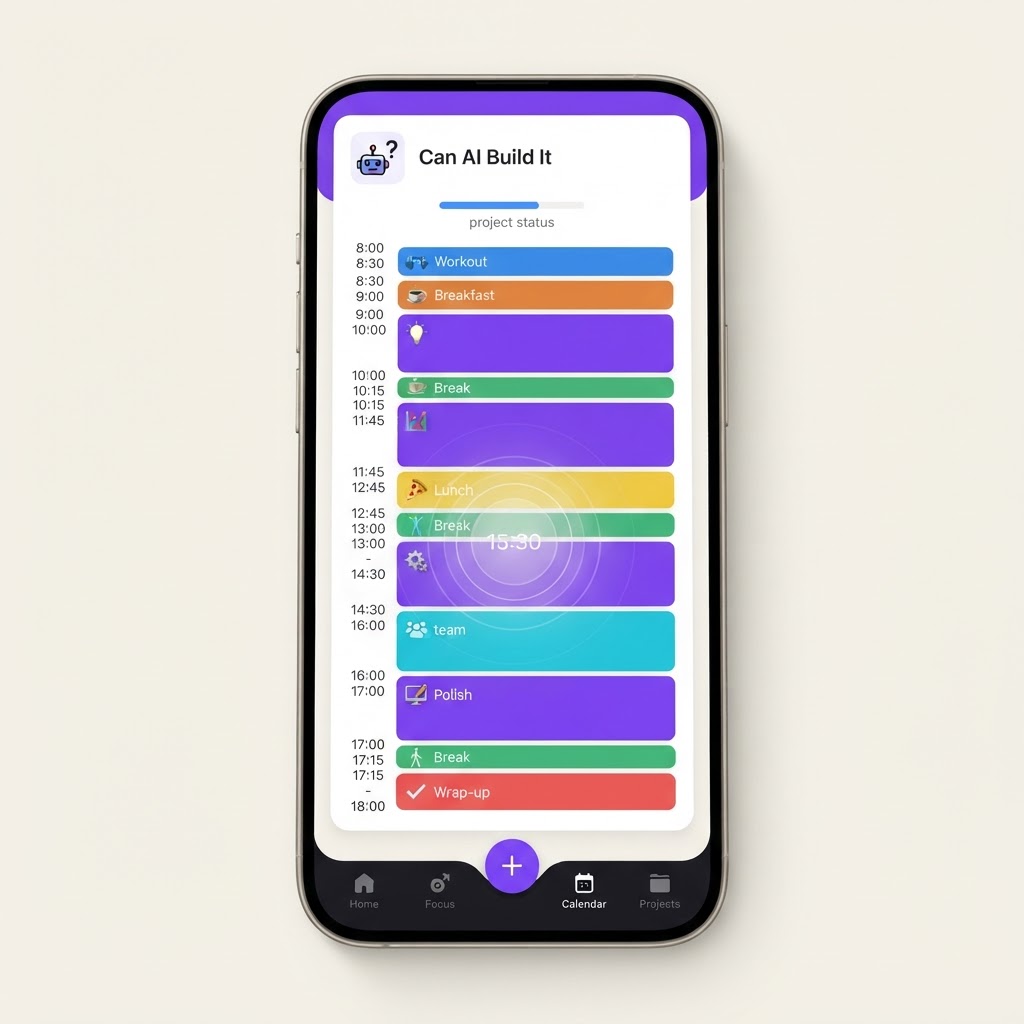
Yes, AI Can Build This: AI Time Blocking and Focus Calendar
A calendar app that uses AI to automatically time-block your day around meetings, deep work, and breaks based on your energy patterns and priorities.
The Prompt
Build an AI time blocking and focus calendar web app with these features:

1. Google Calendar and Outlook integration via OAuth. Import existing events, meetings, and commitments as fixed blocks.

2. Task inbox where users add tasks with priority (high, medium, low), estimated duration, deadline, and energy requirement (deep focus, light work, creative). Tasks can be categorized by project.

3. AI auto-scheduler that takes fixed calendar events plus the task inbox and generates an optimal time-blocked day. Considers: energy patterns (user sets when they are most productive), task priority, deadlines, buffer time between blocks, and lunch and break recommendations.

4. Drag-and-drop calendar view where users can adjust the AI's suggested schedule. Changes auto-rebalance remaining blocks. Color coding by category (deep work, meetings, admin, breaks).

5. Focus mode that starts a timer for the current block, hides notifications, and shows only the current task. Includes optional ambient sound player and a simple note field for capturing thoughts during focus sessions.

6. Energy pattern profiler: user completes a short setup quiz about when they feel most energetic, creative, and focused. AI uses this to schedule deep work during peak hours and lighter tasks during low energy periods.

7. Daily review and planning ritual: each morning, AI presents the day's plan for approval. Each evening, AI asks what got done, what slipped, and adjusts future scheduling based on actual completion patterns.

8. Analytics dashboard showing time spent by category, focus session completion rate, schedule adherence (planned vs actual), and productivity trends over weeks.

9. Recurring block templates: morning routine, deep work morning, meeting afternoon, etc. Users can save and apply templates to speed up planning.

10. Slack and email integration to automatically block time for processing messages during designated admin windows rather than constant context switching.
What You Can Build
- ✓Google Calendar and Outlook OAuth integration
- ✓Task inbox with priority, duration, and energy requirements
- ✓AI auto-scheduler using energy patterns and priorities
- ✓Drag-and-drop calendar with color-coded blocks
- ✓Focus mode with timer and notification blocking
- ✓Daily planning ritual and analytics dashboard
What's Hard
Required Screens
User Flow
User connects calendar -> completes energy pattern quiz -> adds tasks to inbox -> AI generates time-blocked day -> user reviews and adjusts -> focus mode starts for each block -> evening review captures what slipped -> AI learns patterns and improves future scheduling
FAQ
Can AI build Yes, AI Can Build This: AI Time Blocking and Focus Calendar?
Time blocking calendars are very buildable with AI. The core features (calendar integration, drag-and-drop scheduling, task management) are standard patterns. The AI layer that auto-arranges your day based on priorities and energy patterns is a scheduling optimization problem that LLMs handle well. Google Calendar and Outlook OAuth are standard integrations. The main complexity is the scheduling algorithm, but even a simple rules-based approach with AI suggestions works well. Expect a working MVP in 2 to 3 weeks.
How hard is it to build Yes, AI Can Build This: AI Time Blocking and Focus Calendar with AI?
It's rated Intermediate. Medium
What tools do I need to build Yes, AI Can Build This: AI Time Blocking and Focus Calendar?
We recommend building it with Base44.
How long does it take to build Yes, AI Can Build This: AI Time Blocking and Focus Calendar with AI?
Estimated build time: 2-3 weeks.
Related Builds
Not sure which tools to use?
Find your stack →New projects added weekly
Get the latest "can AI build it?" projects in your inbox.