
10 Trustworthy Fintech Apps Designs to Learn From (October 2026)
Fintech apps have to make money feel both understandable and safe, especially as people move between budgeting, payments, investing, and crypto in the same week. These Dribbble examples offer useful patterns for making financial actions easier to scan, explain, and confirm.
1. Crypto Trading & Token Swap Mobile App by Nixtio
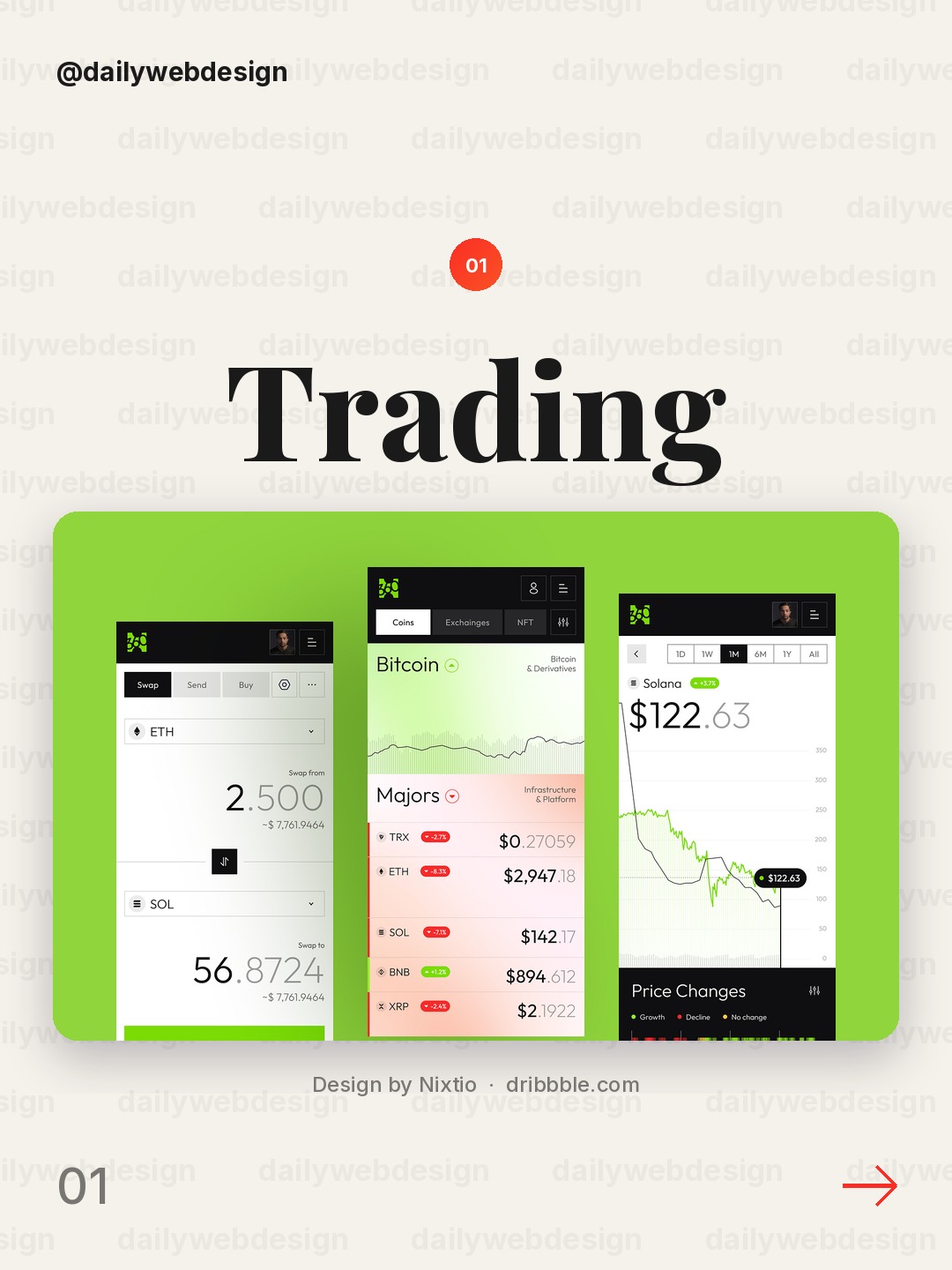
Design by Nixtio, via Dribbble
The dark canvas and crisp contrast make balances and trading actions easy to scan. Borrow the strong separation between the account summary and the detailed market tools, so a first-time user is not dropped straight into complexity.
2. RevoPay — Crypto Wallet & FinTech Mobile App UI/UX Design by Alamin Hossen
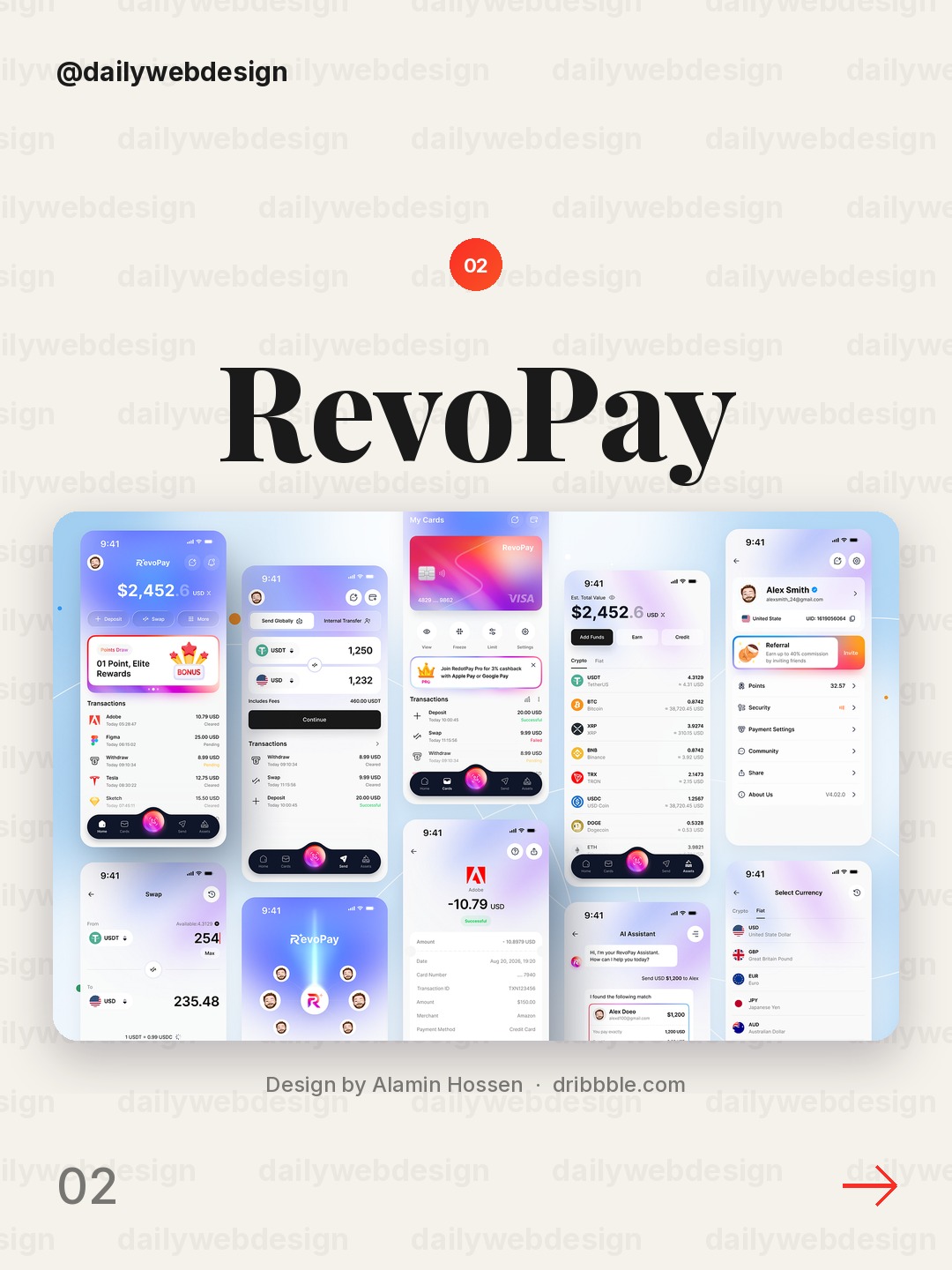
Design by Alamin Hossen, via Dribbble
RevoPay keeps wallet and payment functions inside a recognizable mobile flow. Make the primary wallet action easy to reach, then give exchange details enough context that users can check what they are sending before confirming.
3. Personal Finance & Budgeting Mobile App by Hatypo Studio
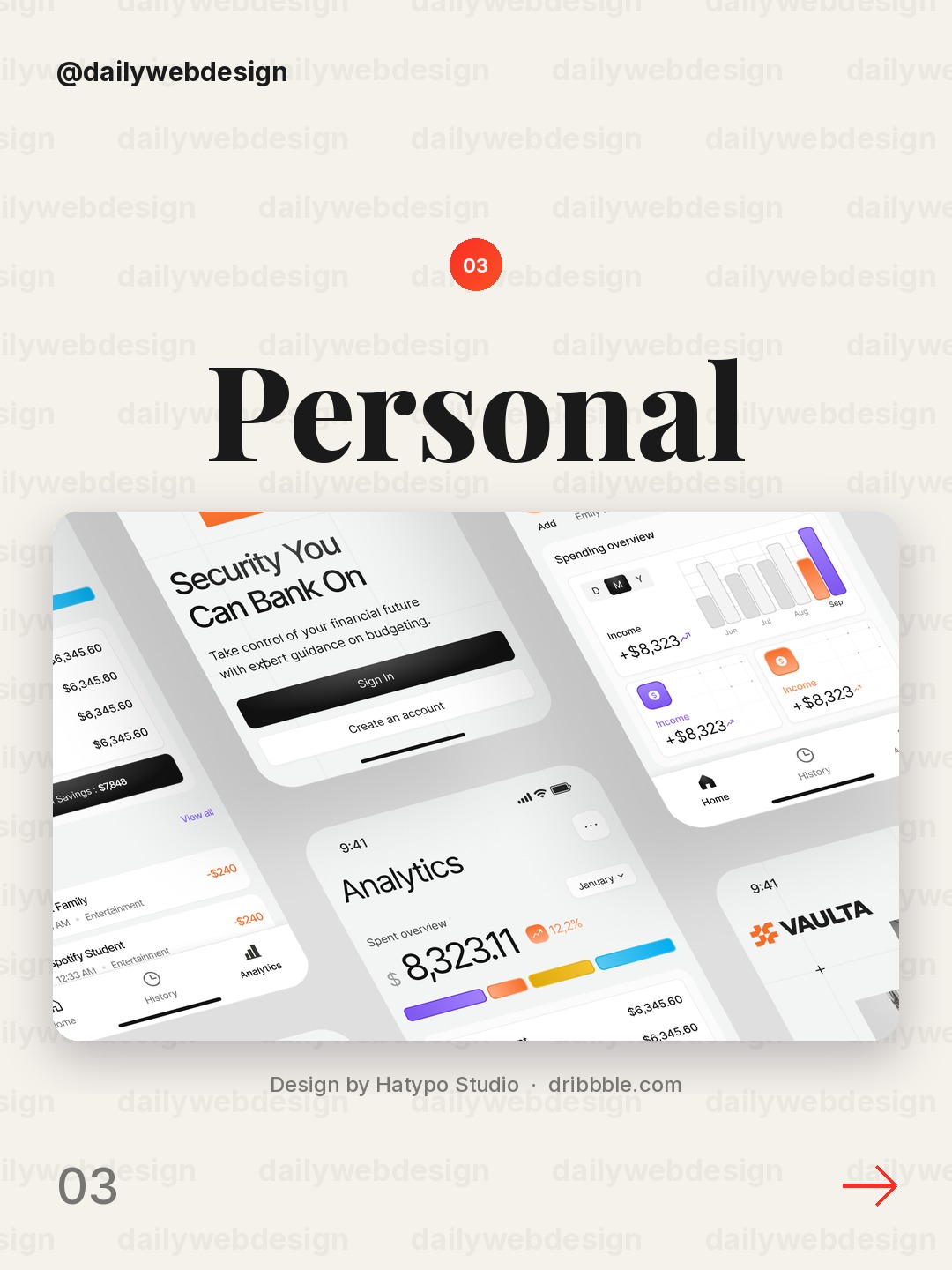
Design by Hatypo Studio, via Dribbble
Personal finance screens work when spending and budgeting feel understandable at a glance. Use a clear period label beside each summary and reserve a distinct accent for budget progress, rather than coloring every category equally.
4. AI-Powered Finance Mobile App by Afzal Masud🔥
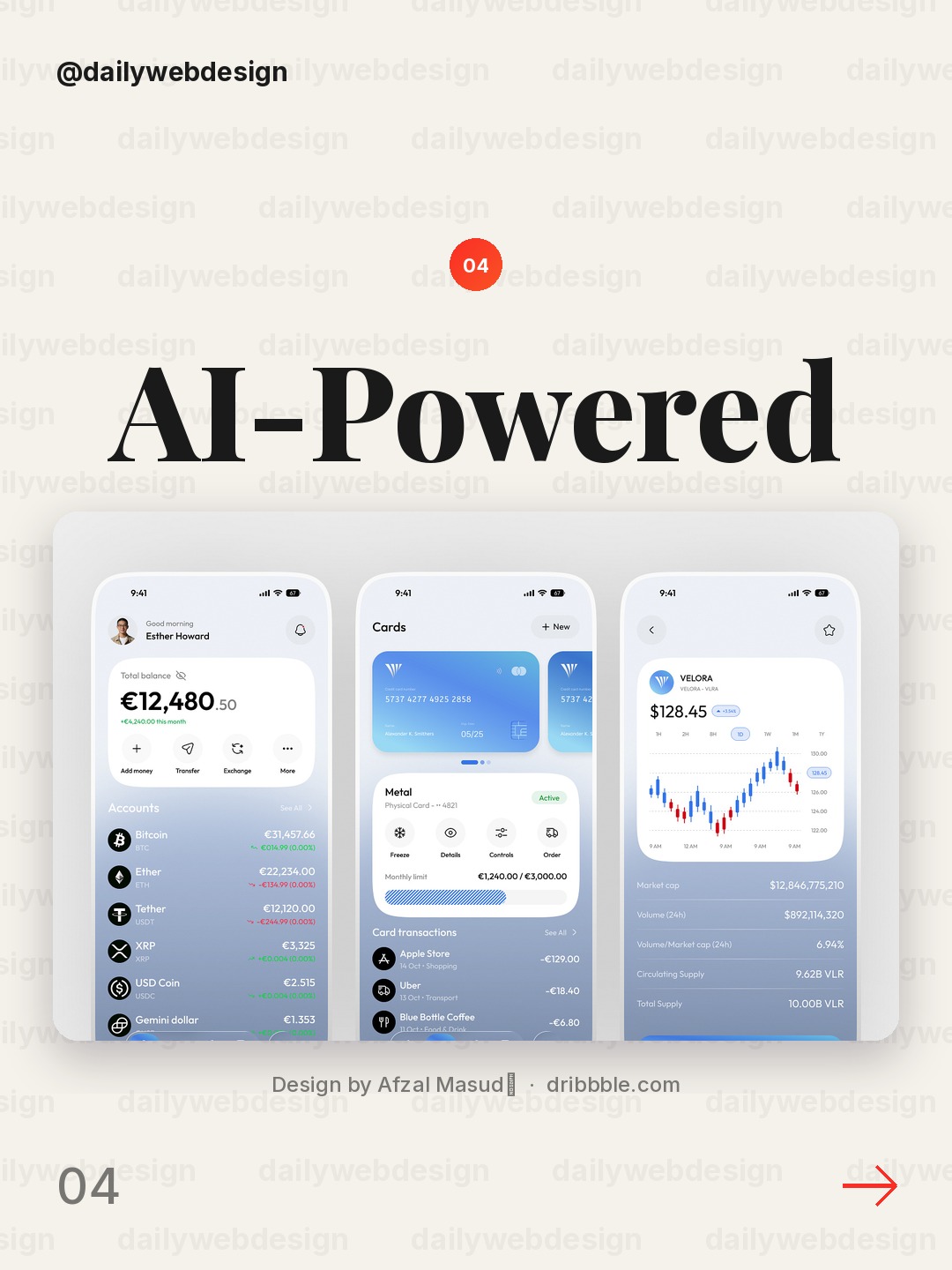
Design by Afzal Masud🔥, via Dribbble
AI features need to show how they help, not just announce that AI is present. Pair any generated financial suggestion with its inputs, a plain-language explanation, and a visible way to review or dismiss it.
5. AI Budget Planner App UI – Personal Fintech Dashboard by Uzzal (AI Product Designer)
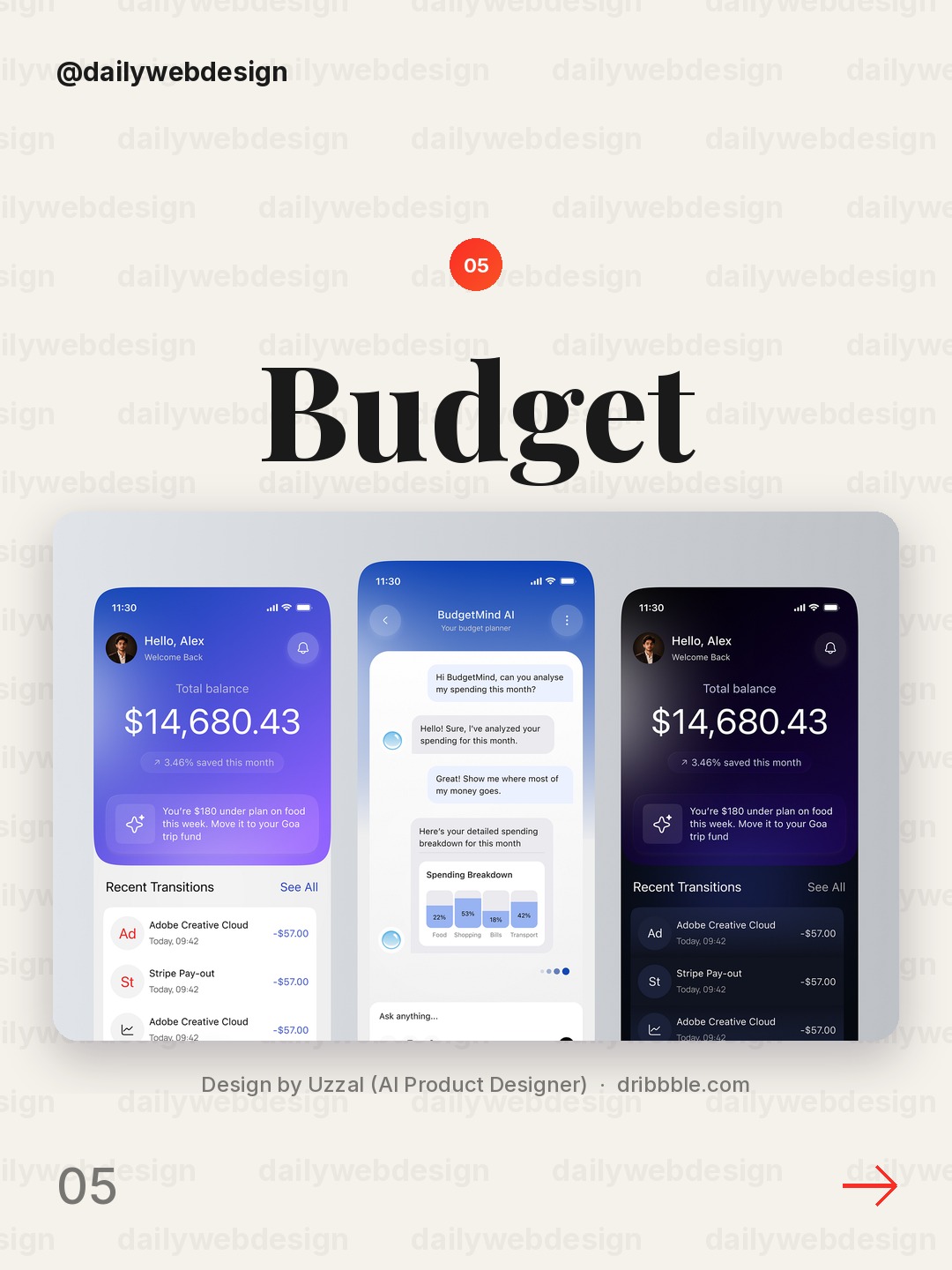
Design by Uzzal (AI Product Designer), via Dribbble
A budget planner can turn a large monthly target into smaller decisions. Show the available amount alongside upcoming bills and category limits, and make the adjustment controls explicit so users can see how a change affects the rest of the plan.
6. Finance Mobile App Design - Finora by One Week Wonders
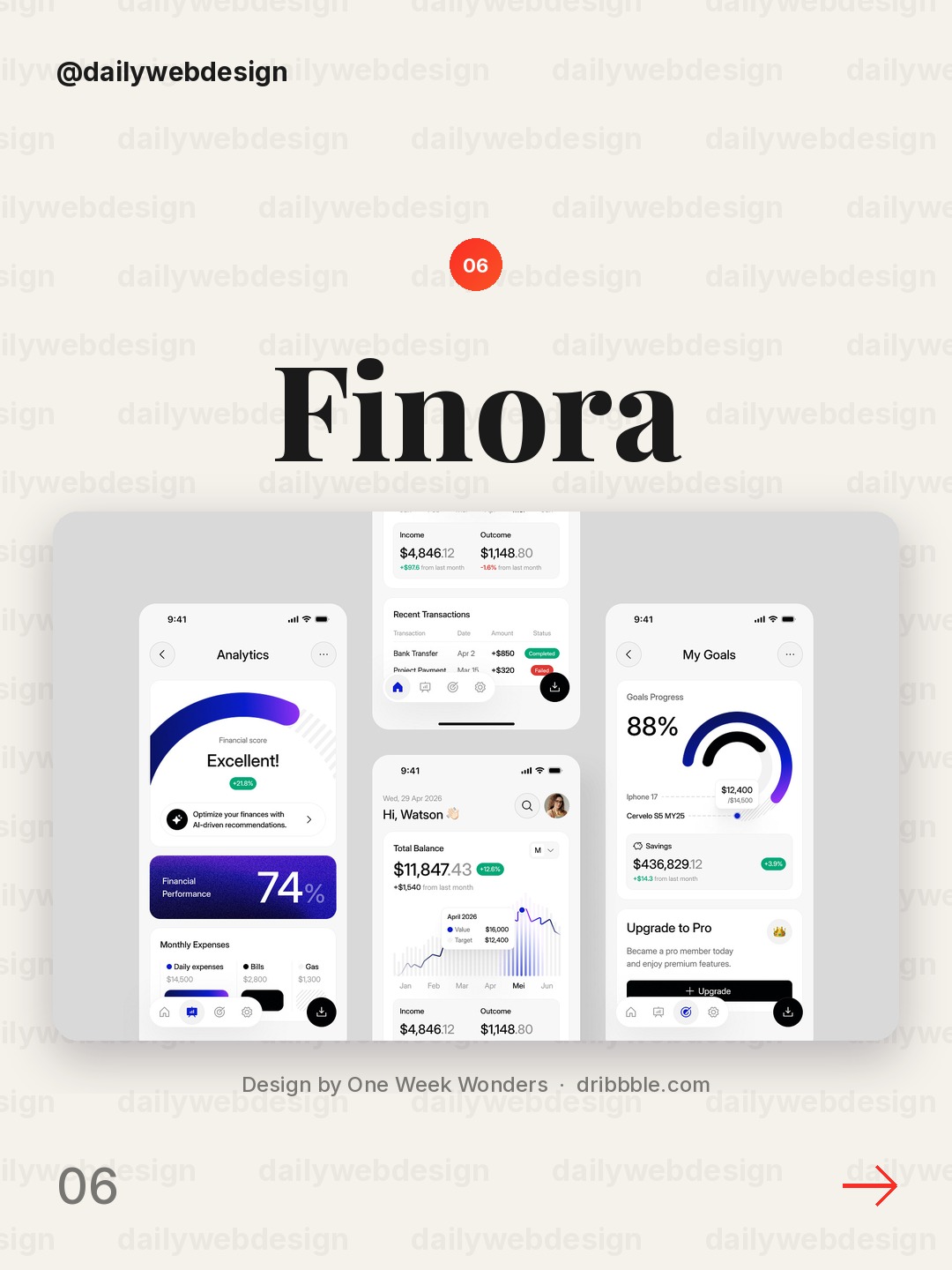
Design by One Week Wonders, via Dribbble
Finora uses a product identity that can make routine money management feel less like a spreadsheet. Keep that personality in the visual details, while maintaining consistent number formatting and direct labels for balances and transactions.
7. Leap: Crypto Swap and Market Order UI by rh.design
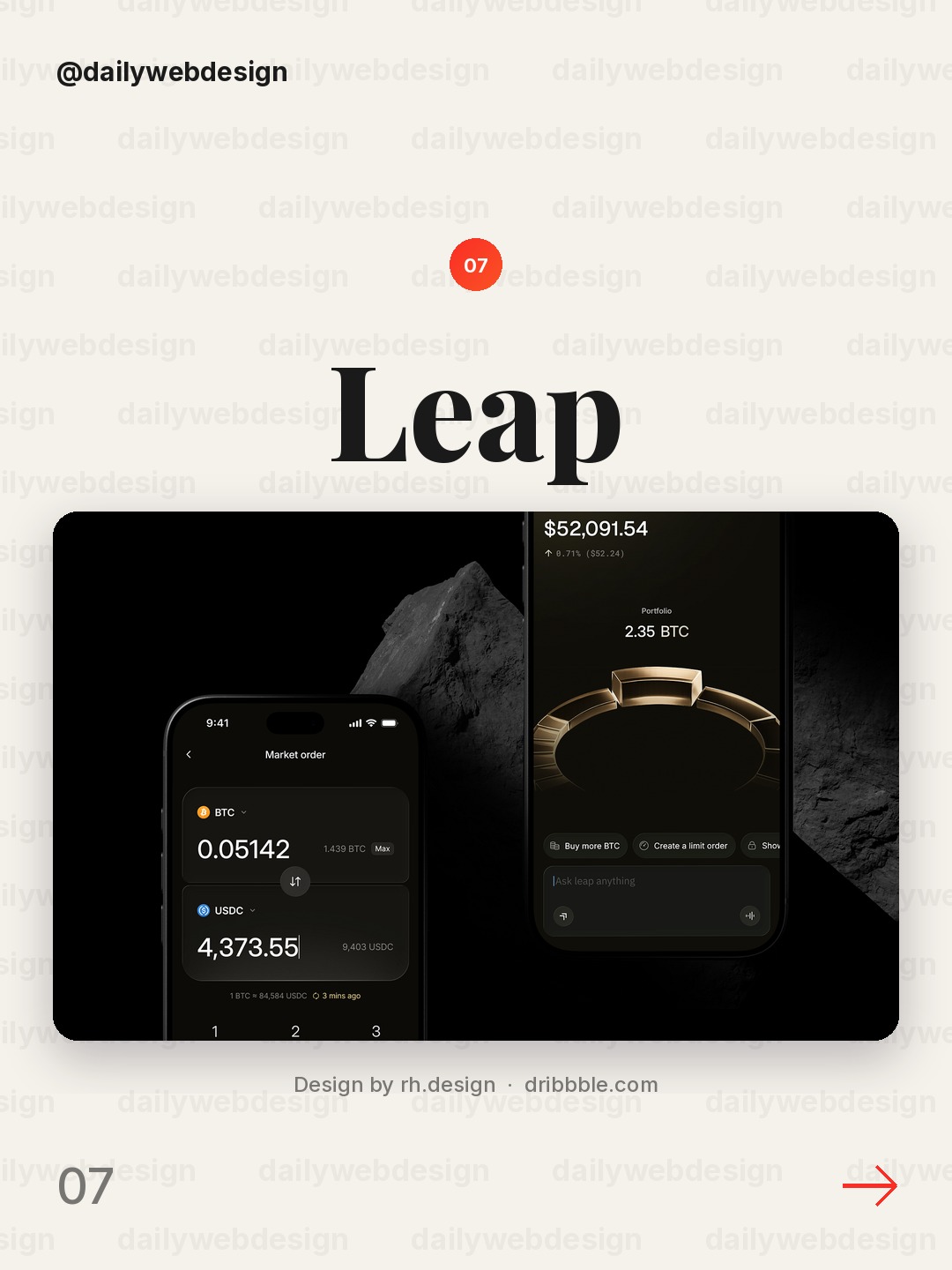
Design by rh.design, via Dribbble
Crypto swap flows have to make a consequential action legible. Put the assets, estimated exchange rate, fees, and final received amount together before confirmation, and visually distinguish the preview from the irreversible action.
8. Wise Redesign App by Agilie Team
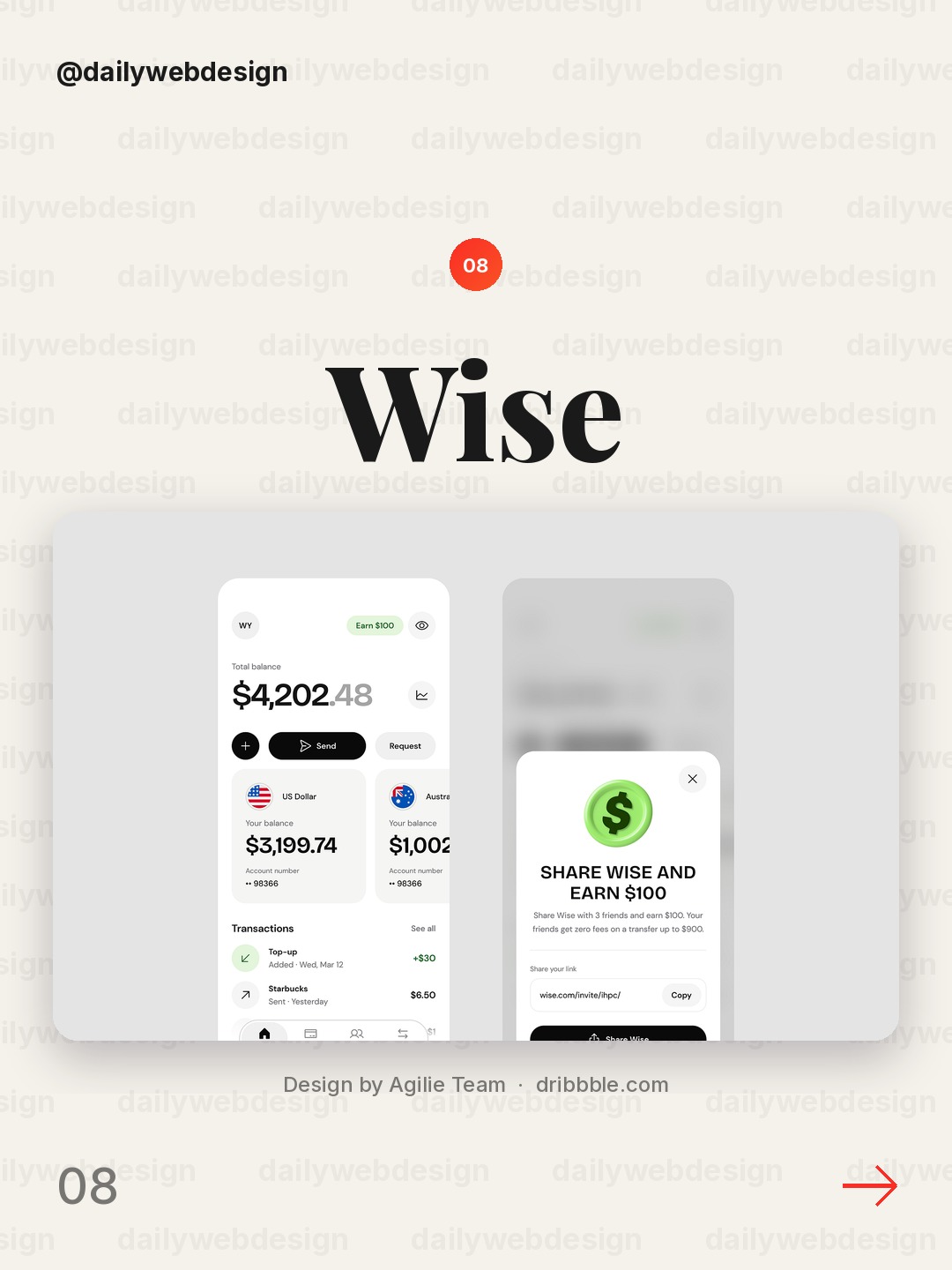
Design by Agilie Team, via Dribbble
A familiar money-transfer brand gives this redesign an opportunity to simplify repeated tasks. Put send, receive, and account activity in a predictable hierarchy, and use confirmation states that clearly name the recipient and amount.
9. Cashly iOS app by Taras Migulko
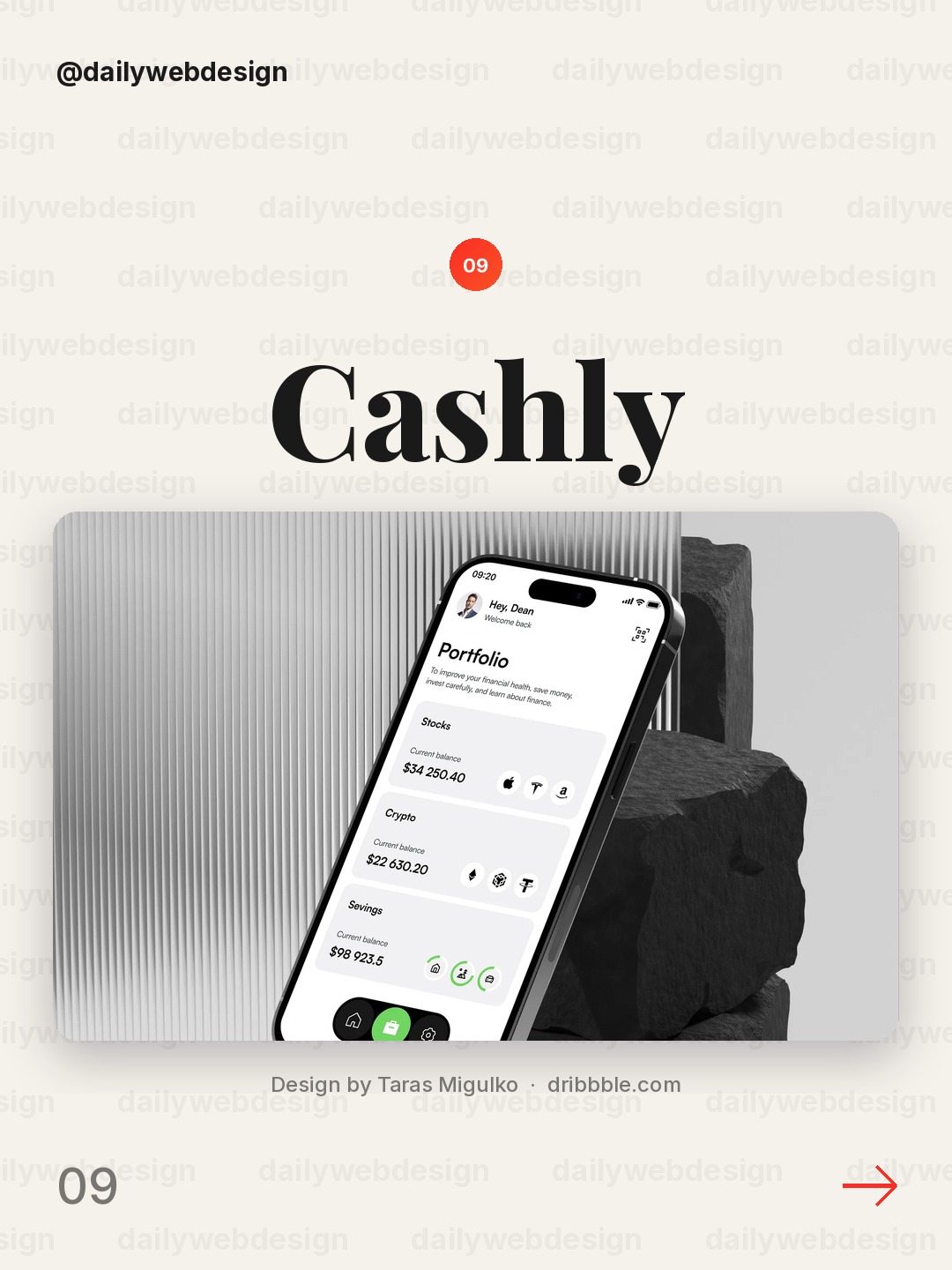
Design by Taras Migulko, via Dribbble
Cashly’s iOS framing is a reminder that financial apps have to work in short, interrupted sessions. Keep the most common tasks near the top level, use native-feeling spacing, and avoid hiding essential status behind decorative cards.
10. Blockchain Mobile App Design by Artspire
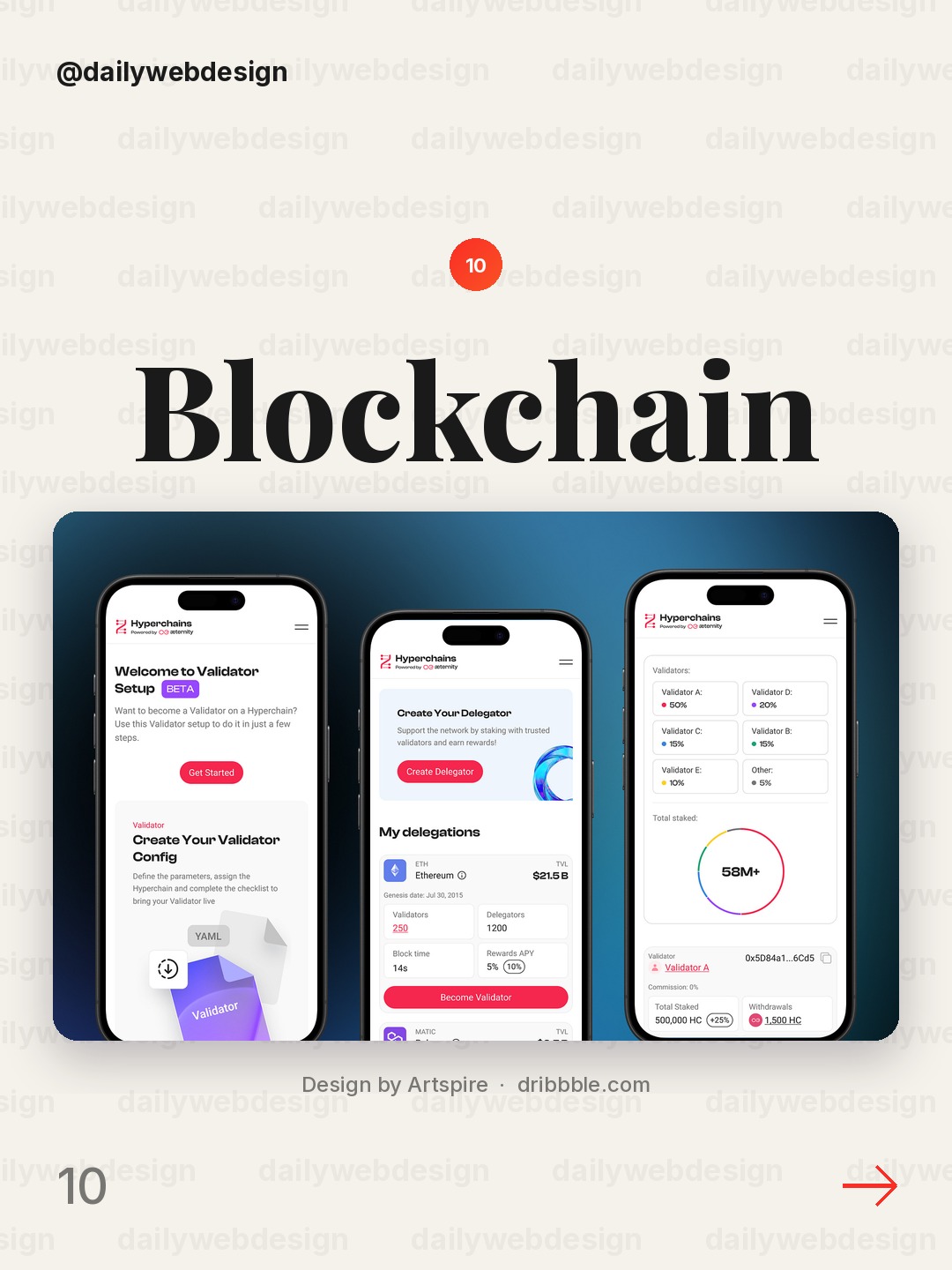
Design by Artspire, via Dribbble
Blockchain products can overwhelm people with technical terms and activity. Lead with the user-relevant status, explain unfamiliar labels inline, and move advanced network detail into a secondary layer for people who want it.
What I would copy this week
-
Put the action, amount, and consequence together before a user confirms a money movement.
-
Label every financial metric with its timeframe and source, then give it one clear next step.
-
Explain automated or AI-generated guidance in plain language and leave users in control.
Want to put these ideas to work? Join a NewForm monthly challenge: https://app.newform.community/monthly-challenges
Related on NewForm
Keep reading
Which one is your favorite?
Pick the shot you would save. One vote per visitor.
Crypto Trading & Token Swap Mobile App
Design by NixtioRevoPay — Crypto Wallet & FinTech Mobile App UI/UX Design
Design by Alamin HossenPersonal Finance & Budgeting Mobile App
Design by Hatypo StudioAI-Powered Finance Mobile App
Design by Afzal Masud🔥AI Budget Planner App UI – Personal Fintech Dashboard
Design by Uzzal (AI Product Designer)Finance Mobile App Design - Finora
Design by One Week WondersLeap: Crypto Swap and Market Order UI
Design by rh.designWise Redesign App
Design by Agilie TeamCashly iOS app
Design by Taras MigulkoBlockchain Mobile App Design
Design by ArtspireFind Your Stack
Discover the perfect design tools for your workflow.
Take the 60-second quizNewForm Studio
Turn your designs into professional mockups instantly.
Open StudioMore from NewForm
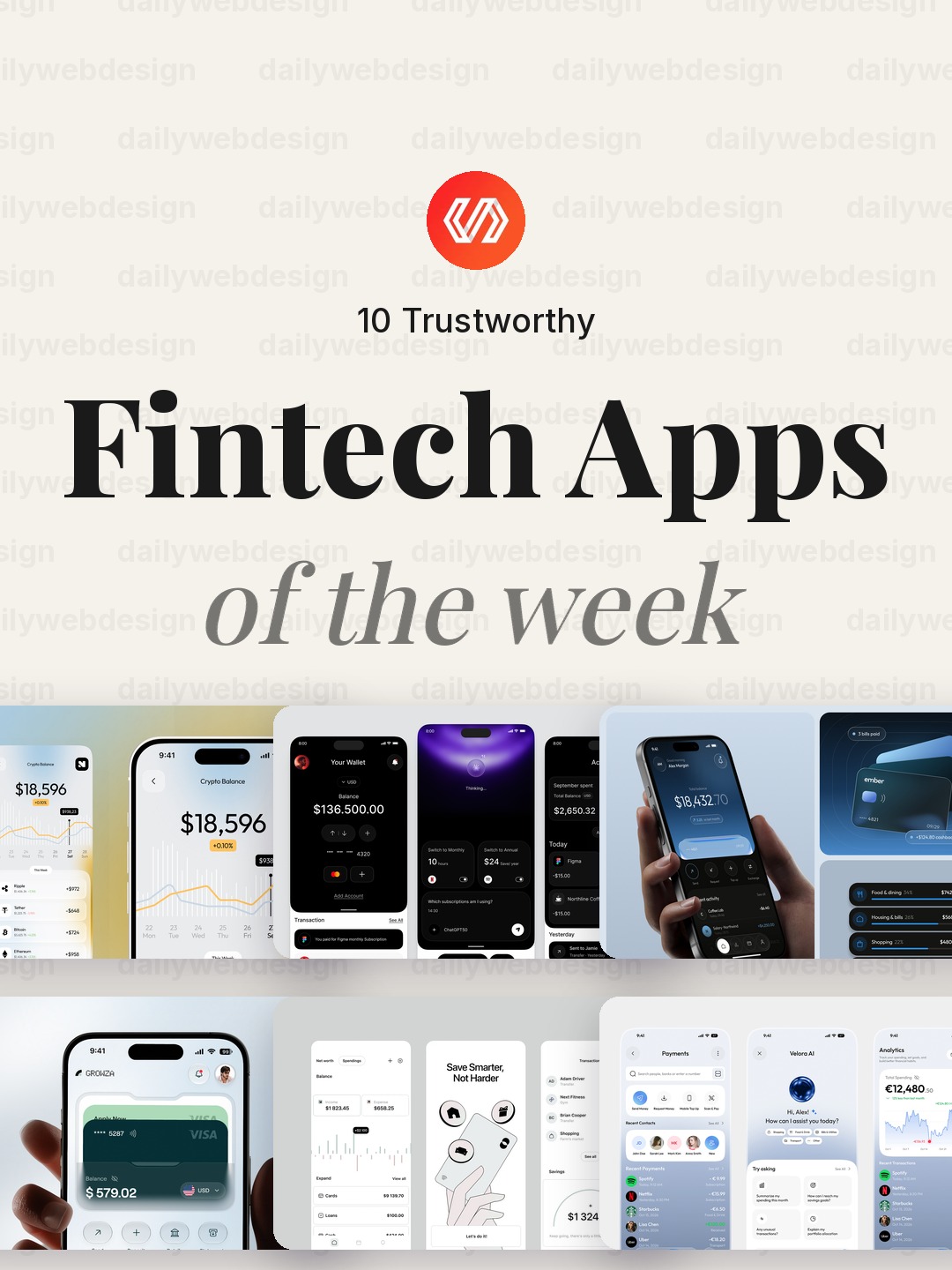
10 Trustworthy Fintech Apps Designs to Learn From (October 2026)
Ten fintech app designs cover banking, payments, personal finance, and investing, with practical interface patterns to borrow. Explore the full collection, designer credits, and cast your vote.
5 min read · Oct 30, 2026

10 Clean Dashboard Designs to Learn From (October 2026)
Ten dashboard designs spanning finance, sales, healthcare, security, and monitoring, with practical interface patterns to borrow. Explore the full collection, designer credits, and cast your vote.
5 min read · Oct 29, 2026