
Base44 Social Content: Let It Write and Publish Your App's Social Posts
Base44 Social Content: Let It Write and Publish Your App's Social Posts
You shipped the app. Nice. Now comes the part where most side projects quietly die: telling anyone it exists.
Base44 just made that part absurdly hard to skip. Inside the app editor there is a Marketing section called Social content, and it does the whole promotional loop: it interviews you about the app, drafts a platform by platform strategy, writes ready to post content for LinkedIn, Instagram, Facebook, X, TikTok and Reddit, plans when each post goes out, and (this is the new part) publishes it for you to the accounts you connect. You go from "nobody knows this exists" to a running social presence without opening a scheduler or hiring anyone.
If you want the short version of my take: for a solo builder or a small team, this is the feature that makes shipping in public realistic. If you want to try Base44 while you read, you can start here: Base44.
Here is what it does, exactly how to set it up, and where it still needs you.
What Base44 Social content actually does
Base44 describes Social content as a tool that "builds a content plan to promote your app on social media." It creates a strategy, suggests the best platforms, writes posts for six networks, and plans when to post each one. You review the posts, then either let Base44 publish them on a schedule or share them yourself.
The October 13 update to the docs added the piece that changed the economics: connection. You choose how much Base44 does on its own, and it will post on your behalf once you connect a LinkedIn account, an Instagram business account, or a Facebook page.
There are three modes, and picking between them is the one real decision you make:
- Automatic: Base44 writes 3 posts a week for each LinkedIn, Instagram, Facebook and X channel and publishes them for you. You can cancel any post before it goes out.
- Semi-automatic: Base44 writes the same posts but only publishes the ones you approve.
- Manual: Base44 writes everything, you publish it yourself, and you connect no accounts.
If you have ever hesitated to promote your own work because scheduling feels gross, Semi-automatic is the honest middle: you keep veto power, but the drafting and calendar stop being your problem.
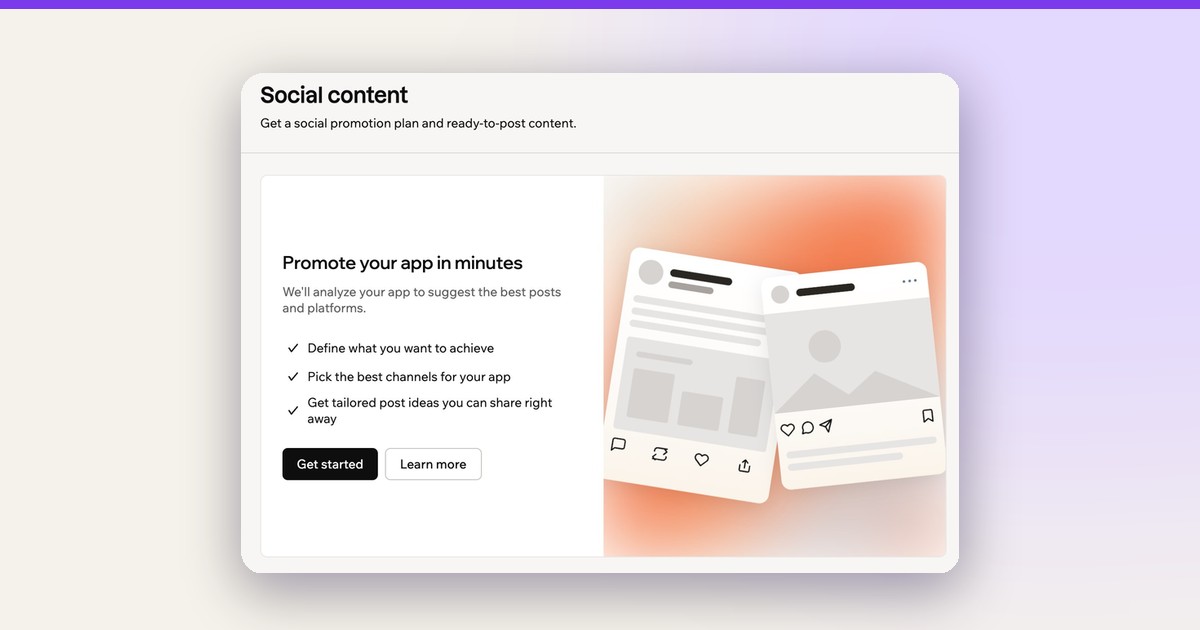
The Social content entry point in the Dashboard's Marketing section. Image: Base44, via Promoting your app.

How to set up your plan, step by step
Everything lives inside Base44's app editor, next to the app you are promoting. Base44's docs give the exact path:
- Click Dashboard in your app editor.
- Click Marketing.
- Click Social content.
- Click Get started.
- Answer each question and click Continue, or Let's go on the last one.
- Review your goal, approach and platforms under Review your suggested strategy. Here you can:
- Click Change channels to add or remove platforms, then click Save.
- Paste a link to one of your social profiles under Match your tone (optional), so the posts sound like you instead of like a press release.
- Click Generate posts.
- Choose a mode under How should these go out? (Automatic, Semi-automatic or Manual, as described above).
- For Automatic or Semi-automatic, click Continue, then click Connect next to each account you want Base44 to publish to and sign in.
- Return to Social content and click Turn on.
The "Match your tone" box is the detail most people will skip and shouldn't. Base44 reads your profile and writes in that voice, which is the difference between posts that feel like you and posts that feel autogenerated. Garbage in, brand-consistent garbage out either way, but at least it is your garbage.
Reviewing, editing and scheduling posts
Once the plan is live, your posts appear on a timeline by day, alongside the strategy. To work through them:
- Click Dashboard, then Marketing, then Social content.
- Click All posts or a specific platform tab.
- From there, Base44's docs list your options:
- Edit a post: Click the Edit post icon. Change the text, the Publish date or the Publish time, or click Improve with AI or Regenerate image and describe the change. Then click Save changes.
- Schedule posts: In Semi-automatic, only what you schedule goes out. Select the posts (or Select all), then click Schedule and Schedule posts.
- Cancel a post: Click the Cancel post icon, then confirm.
- Share a post yourself: Click Share to open the post composer with your text (X, LinkedIn and Reddit), or click Copy and paste it into a new post (Instagram, Facebook and TikTok). To include the image, click the Download image icon and attach it. TikTok and Reddit posts always go out this way.
- Open a published post: Click View post.
That last list is worth reading twice, because it tells you where the automation ends. TikTok and Reddit never publish automatically. You copy those by hand, every time, by design.
Managing the plan after launch
Plans change, and so does the product you are promoting. The More actions menu at the top right of Social content handles it. The docs list what is there:
- Change mode: Move between Automatic, Semi-automatic and Manual. Your existing posts stay. If posts are waiting to publish, review the warning and click Stop publishing before switching.
- Add a channel: Select the channel and click Add channel. It costs 10 integration credits, and the rest of your plan stays as it is.
- Download content: Saves all your generated images and text, which is handy if you would rather repurpose them in your own scheduler.
- Generate more posts: Available in Manual mode when you want another batch.
And a warning the docs make explicit: Start fresh, then Generate new plan, deletes your posts and your edits and cancels every scheduled post. The docs say you can't undo it. Treat that button like a fire alarm.
Limitations, stated plainly
I would rather you hit these on the page than in your second week.
- Automatic and Semi-automatic publishing need the Builder plan or higher. Below that, you still get content generation, but you hand-publish.
- The first content plan per app is free. Each additional plan costs 10 integration credits, including any plan created after Start fresh. Adding a channel also costs 10 integration credits.
- Regeneration and new drafts cost credits: using Improve with AI or Regenerate image on an existing post costs 1 integration credit, and every new post Base44 writes in Automatic or Semi-automatic mode (or via Generate more posts) costs 1 integration credit each.
- Ongoing writing covers LinkedIn, Instagram, Facebook and X only. TikTok and Reddit posts in your plan stay on the page for you to copy, but no new ones get written for those networks.
- Automatic and Semi-automatic need at least one LinkedIn, Instagram, Facebook or X channel connected. Channels you have not connected still get posts written, and they start publishing as soon as you connect the account.
- Facebook connects per Page, not per account. The docs say that when Facebook asks which Pages Base44 may access, you should select Opt in to current Pages only, then only the Page you want Base44 publishing to.
Never invent results, so to be clear about what I am claiming: every capability above comes from Base44's own documentation, not from a test run of my own. The workflows are the docs' workflows, quoted where it matters.
What you end up with
Walk through this once and you get a self-sustaining promotional loop attached to the app you already shipped: a written strategy, a weekly cadence of drafted posts tuned to your voice, a day by day timeline, and publishing that happens on schedule to the accounts you connected. Cancel anything before it goes out. Edit the rest. It costs you attention only at the review step, which is exactly where your attention is worth something.
If you already built your app on Base44, this lives two clicks from the thing you built. If you have been waiting to build it at all, the promotion step just got one excuse shorter: try Base44 here.
Our take
The uncomfortable truth about most AI marketing tools is that they generate content nobody needed. What makes Social content different inside Base44 is adjacency: it sits in the dashboard of the app you just finished, it already knows what the app is, and it removes the scheduling and publishing friction that made "I will promote it next week" a lie you kept telling yourself. Treat the copy it drafts as first drafts, keep the strongest veto rights, use Manual mode for anything where your name carries the reputation. But do not pretend you will go back to doing this by hand. You won't.
Relevant docs: Promoting your app and the October 13, 2026 changelog entry.
Related on NewForm
Keep reading

Find Your Stack
Discover the perfect design tools for your workflow.
Take the 60-second quizNewForm Studio
Turn your designs into professional mockups instantly.
Open StudioMore from NewForm

Base44 Can Now Send AI Hackers at Your App Before Real Ones Find It
Base44's new Tenzai integration runs an AI penetration test against your live app, including signed-in pages, then emails you what it broke and how to fix it. Here is how to set it up and when to run it.
5 min read · Nov 1, 2026

Real People, Real Apps: What Winning With Base44 Actually Looks Like
Three real Base44 wins from real builders: a hosting company owner who shipped an internal tracker in one afternoon, a builder who launched two AI tools on a marketplace, and the boring-work-problem pattern behind almost every winning app.
6 min read · Nov 1, 2026