
Best UI Kits for AI Design: Craftwork's Game-Changing Resource Library
Originally shared as a carousel on @dailywebdesign, original carousel by @craftwork.design.
Best UI Kits for AI Design: Craftwork's Game-Changing Resource Library
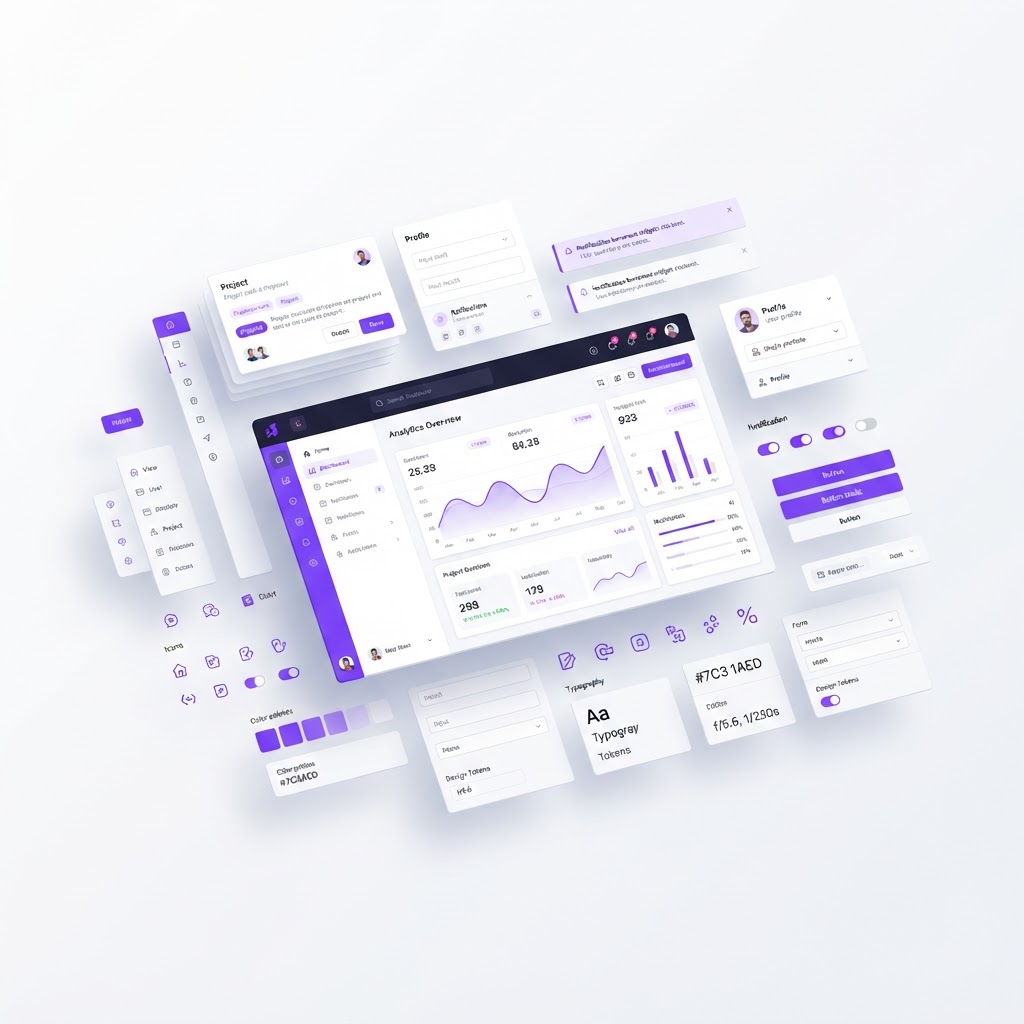
When you're working with AI design tools, the bottleneck isn't usually the AI, it's knowing what to build. Craftwork solves this by providing a massive, professionally curated library of UI kits that work seamlessly with AI image generation tools.
If you're spending hours designing interfaces from scratch when you could be iterating on proven patterns, this is the tool that changes your workflow.
Why UI Kits Matter in the AI Era
AI image generators are incredible at creating novel visuals, but they're less reliable at producing consistent, production-ready UI components. That's where UI kits come in.
Instead of asking Firefly or Midjourney to generate an entire dashboard interface (and spending hours cherry-picking the best parts), you can:
- Generate unique visual styles and brand expressions
- Apply them to proven UI patterns from Craftwork
- Combine human design judgment with AI-accelerated creation
This is the future of design: AI handles creativity and iteration, but structured components ensure consistency and usability.

What Craftwork Offers
Craftwork is a platform built specifically for designers who want to speed up their workflow. Their library includes:
Organized Component Categories
- Buttons, cards, navigation patterns, modal designs
- Forms, data tables, dashboard layouts
- Mobile interfaces, web applications, design systems
Figma-Ready Components
Every UI kit is available in Figma format. You can drag components directly into your projects and customize them in seconds.
AI-Friendly Asset Organization
Craftwork's components are designed to work alongside AI tools. The structure, naming, and organization make it easy to reference patterns when you're prompting AI tools.

Real Workflow: From AI Generation to Polished UI
Here's how designers are using Craftwork with AI tools:
- Ideate with AI: Use Adobe Firefly or Midjourney to explore visual styles and color palettes
- Reference with Craftwork: Find similar UI components from Craftwork that match your visual direction
- Customize: Apply Craftwork's proven patterns to your AI-generated assets
- Polish: Use Craftwork components as a foundation, then make final adjustments for your brand
Instead of spending 8 hours building a dashboard from scratch, you've spent 45 minutes iterating toward something better.

The Learning Component
Craftwork isn't just about components, it's about learning how to design better. When you're studying professionally designed interfaces, you're training your eye for what works.
For deeper learning on interaction design principles, check out the Interaction Design Foundation, which offers structured courses on UX and design theory.
For Beginners and Experienced Designers Alike
Whether you're just starting in UI design or you're a veteran streamlining your workflow, Craftwork has something for you:
- Beginners get to study how professional interfaces are structured
- Experienced designers get to skip the "setup" phase and focus on unique, differentiated work
The Bottom Line
Craftwork is one of those tools that feels almost unfair once you start using it. You're competing against designers who spend hours on component architecture, but you're iterating at 10x speed.
Pair it with AI design tools, and you've got a workflow that produces polished, professional UIs in a fraction of the time.
Ready to accelerate your design workflow? Explore Craftwork and start using professional UI components today.
Credit: Original carousel by @craftwork.design, follow them for more design resources and inspiration.
Find Your Stack
Discover the perfect design tools for your workflow.
Take the 60-second quizNewForm Studio
Turn your designs into professional mockups instantly.
Open StudioMore from NewForm
Supercharge Your Design Workflow: Tools and Systems for 2026
Tired of manual processes? Discover how to leverage modern AI tools and smart design systems to scale your creative output without burning out.
3 min read · Oct 3, 2026

Level Up Your Creative Workflow: Design Smarter, Not Harder
Discover how to streamline your design process by integrating AI tools, reusable motion systems, and smarter presentation techniques to transform your creative output.
3 min read · Oct 1, 2026