
How to Choose a Designer Portfolio Format: 5 Structures to Match Your Target Role
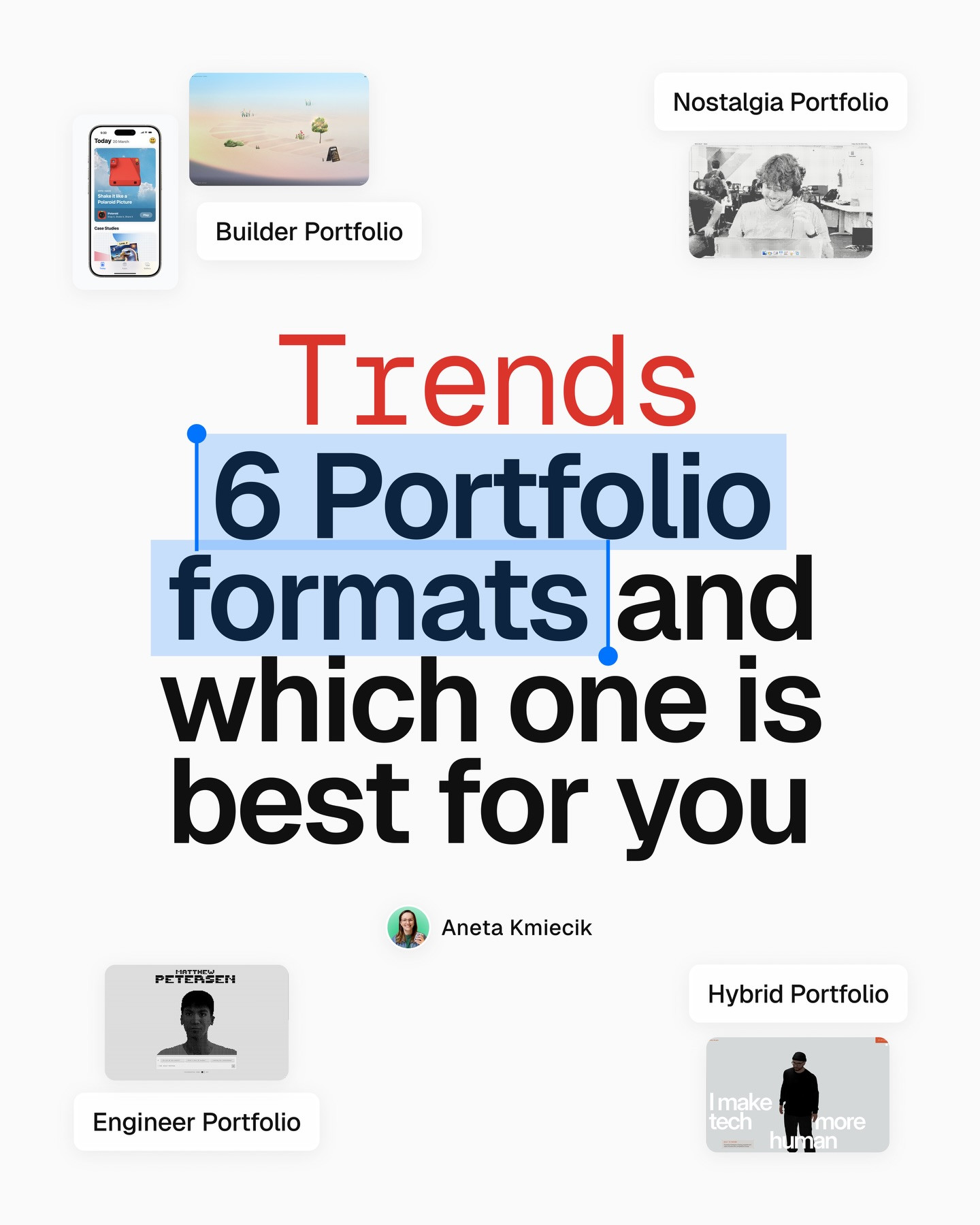
Visual references in the carousel by ux.aneta.

A designer portfolio is a product with a specific audience. A hiring manager scanning for craft needs different evidence from a team looking for a design engineer or a creative studio searching for a distinctive voice. The useful question is not which portfolio format is trending. It is which structure makes your strongest proof easiest to understand for the role you want.
The carousel by ux.aneta highlights several approaches, including builder, hybrid, nostalgia, engineer, and remixed-classic formats. These are examples, not a complete taxonomy. Use them as a starting point for choosing your own structure.
1. Builder portfolio: make the site the proof

A builder portfolio treats the website itself as a major project. It can work well for design engineers and creative developers because the interaction, code quality, and visual system are visible immediately. The tradeoff is that the site can overshadow the work. Add clear project summaries and outcomes so a visitor does not have to reverse-engineer what you contributed.
Choose this direction when interaction craft is part of the job you want. Keep the first screen useful: name your role, show a strong project, and make the work easy to open.
2. Hybrid portfolio: pair personality with case studies

A hybrid format combines a distinctive visual opening with familiar portfolio sections and short project snapshots. It is a flexible option for product or visual designers who want to show personality without hiding process. The key is balance. Let the visual identity make the portfolio memorable, then use clear project labels, role descriptions, and outcomes to make it scannable.
A practical test: if someone only reads the first two lines of each project card, can they tell what problem you solved and what you owned?
3. Nostalgia portfolio: use a visual theme with restraint

A nostalgia-driven portfolio uses a recognizable visual language, such as retro desktop interfaces, old operating-system details, or playful sound and motion. It can create a memorable first impression, especially when the work itself supports the theme. But effects should not block access to the case studies. Keep navigation understandable, provide a reduced-motion option when animation is used, and make sure the portfolio still works on a phone.
If the theme is a reference rather than the main event, make sure the projects remain the reason to stay.
4. Engineer portfolio: show how design and implementation connect

An engineer portfolio can surface code, tools, prototypes, and technical experiments alongside visual work. That is useful when applying to design engineering or product roles where implementation fluency matters. Avoid treating a list of technologies as proof by itself. Show what you built, why the technical choice mattered, what constraints you handled, and what changed for the user.
A small interactive project with a clear explanation can be stronger than a long stack list. Link to the live result when it is stable, and include screenshots or a short explanation if it is not.
5. Remixed classic: keep the familiar structure, personalize the details

The classic portfolio structure still works: introduction, selected work, case studies, about, and contact. A remixed classic keeps that useful map while adding a distinctive component, illustration, motion cue, or editorial detail. It is often the safest format when visitors need to review several projects quickly. Make the personality visible in the details, not at the expense of the information architecture.
Choose a format in four steps

- Name the target role. Do not design for every possible employer at once.
- Pick the proof that role needs. Visual craft, shipped outcomes, code, collaboration, or a mix.
- Choose the lightest structure that supports that proof. A portfolio should not require a tutorial to use.
- Test it with a real person. Ask them to find your best-fit project and explain your role. If they cannot, simplify the navigation or project labels.


There is no universal winner. The builder format can demonstrate implementation, hybrid structures combine character and case studies, nostalgia can make a strong impression, engineer portfolios reveal technical fluency, and a remixed classic stays familiar while still feeling personal. Pick the format that makes your relevant work easiest to evaluate. The original carousel is by ux.aneta. View the Instagram post.
Related on NewForm
Keep reading

Find Your Stack
Discover the perfect design tools for your workflow.
Take the 60-second quizNewForm Studio
Turn your designs into professional mockups instantly.
Open StudioMore from NewForm
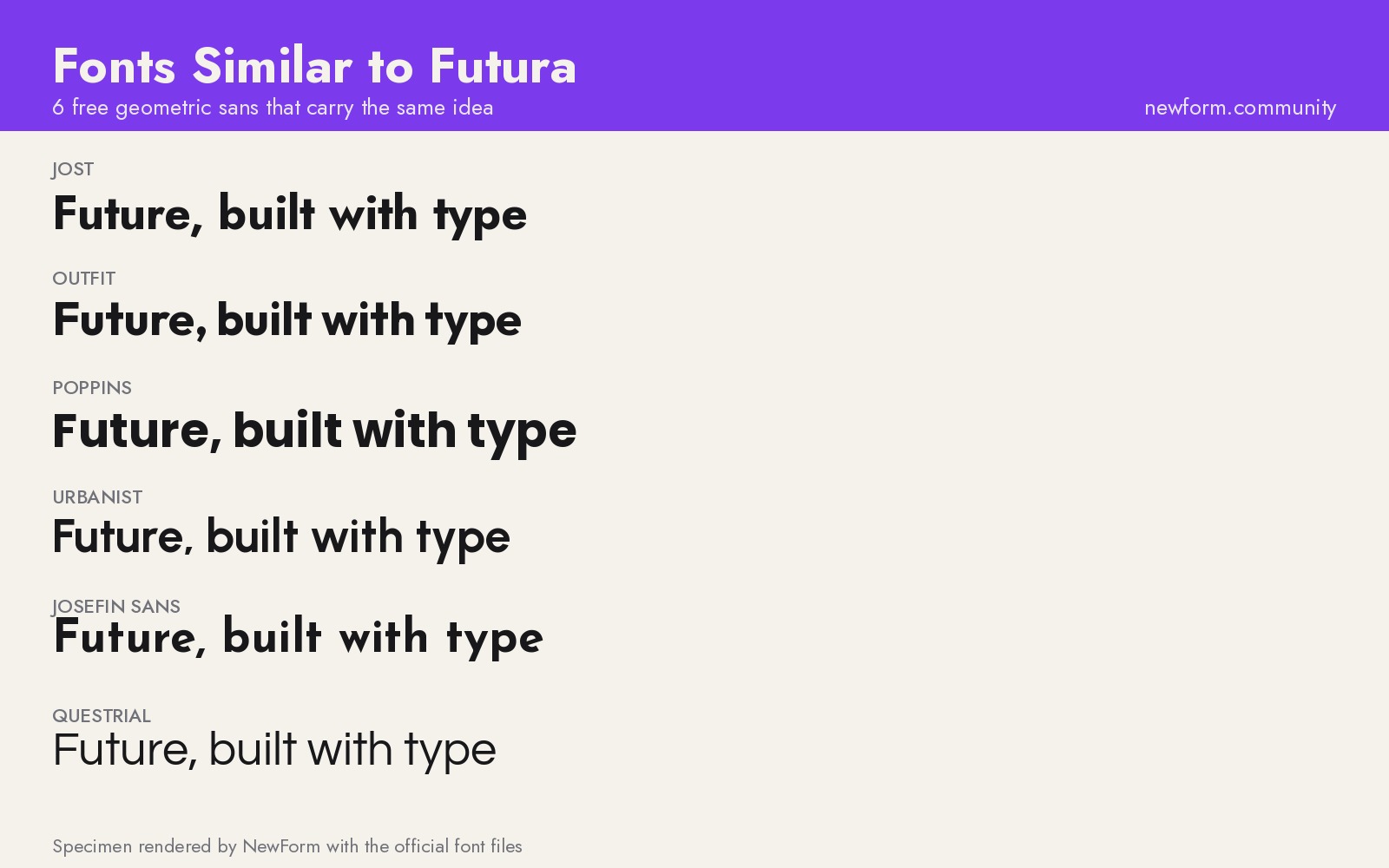
6 Free Fonts Similar to Futura (Real Specimens, 2026)
Futura is licensed and awkward at small sizes. These 6 free geometric sans, rendered from their official files, do the same job: Jost, Poppins, Outfit, Urbanist, Josefin Sans, Questrial.
13 min read · Nov 3, 2026

Bold Typographic Packaging: 4 Lessons From Standout Label Designs
Four real label designs, from LINEN sparkling water to DEWLO facial oil, teach hierarchy, color blocking, functional copy and quiet-color loud-type discipline.
4 min read · Nov 2, 2026