
How to Use Adobe Firefly to Turn a Simple Idea Into a Visual Story
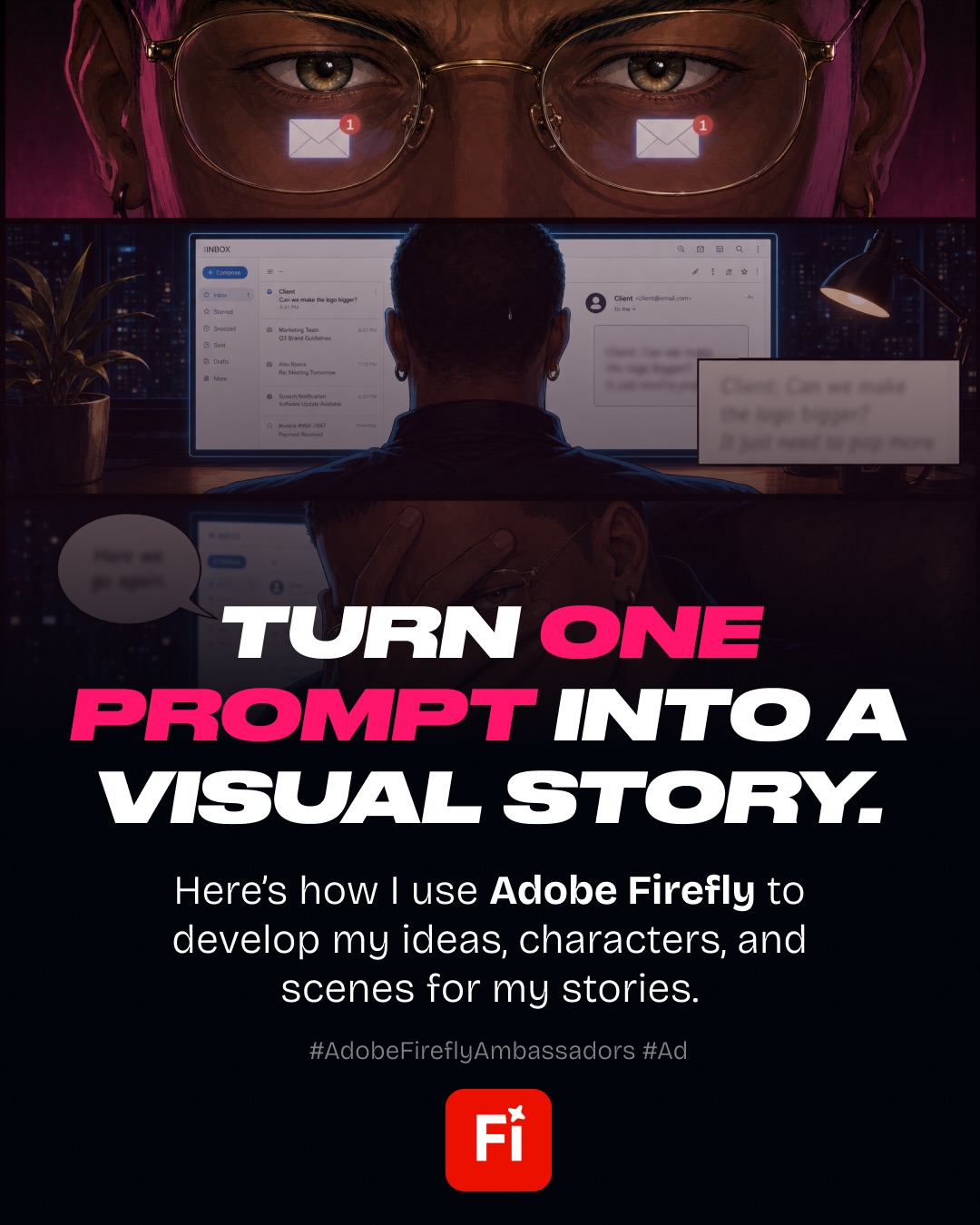
Visual story sourced from @dailywebdesign and created with Adobe Firefly.
Designers know the feeling: a tiny request arrives, someone says it will be “one small change,” and suddenly the scope has a life of its own. That relatable moment is exactly the kind of experience that becomes powerful visual storytelling when it is shaped with a clear concept, a consistent character, and a deliberate art direction.

From a simple idea to a connected visual story
The carousel begins with a familiar design-workflow joke, but the process behind it is more thoughtful than the premise suggests. Instead of asking an image generator for one finished comic, the creator treats the idea like a miniature production: define the story, develop the character, establish the visual language, and then build each scene individually.
That distinction matters. A single prompt can produce an interesting image, but a sequence needs continuity. The character has to feel like the same person from frame to frame. The setting, proportions, lighting, and emotional rhythm also need to support the narrative rather than compete with it.

Why character and art direction come first
Before generating scenes, write a compact creative brief. Describe the character’s role, personality, wardrobe, visual age, and defining traits. Then decide what the audience should feel at the beginning, middle, and end. This gives every image a job in the story.
Art direction is the bridge between those decisions and the final visuals. Pick a color palette, illustration style, camera angle, typography treatment, and level of detail before producing the full set. A consistent direction makes the carousel feel designed rather than like six unrelated generations placed next to one another.

Use references to reduce creative drift
One of the useful ideas highlighted in this workflow is organizing references inside a single creative workspace. References can include sketches, screenshots, color studies, character notes, and examples of the intended mood. They are not there to replace judgment; they help keep the project anchored while you explore variations.
The best reference set is specific. Rather than collecting dozens of vaguely similar images, choose a small group that answers concrete questions: What should the lighting feel like? How expressive should the character be? Is the composition editorial, cinematic, playful, or minimal? Clear answers make iteration faster.

Generate scenes individually, then edit as a system
A scene-by-scene approach gives you more control than trying to force an entire comic into one generation. Start with the opening frame, confirm that the character and style are working, and then carry those decisions into the next scene. Review each image for continuity before moving on.
After generation, bring the scenes together as one designed artifact. Check the pacing, crop, text placement, and transitions. A strong carousel should be understandable even if a reader only glances at the first frame, while each additional slide should reward the swipe with a clear progression.

A repeatable workflow for designers
A practical Adobe Firefly workflow looks like this:
- Write the premise: reduce the idea to one sentence and identify the relatable tension.
- Define the character: document appearance, personality, and recurring visual details.
- Set the art direction: choose palette, style, framing, and typography.
- Collect references: keep only the references that answer a real creative question.
- Generate in sequence: create one scene at a time and check continuity.
- Assemble and refine: edit the final carousel for rhythm, legibility, and narrative clarity.

The bigger lesson
AI image tools are most useful when they support a designer’s thinking instead of replacing it. The strongest output in this example comes from concept development, art direction, iteration, and editing, not from pressing generate once.
If you have a familiar designer experience worth sharing, turn it into a small story. A clear premise plus a consistent visual system can make an ordinary workflow moment memorable, relatable, and easy to pass along.
Want to experiment with visual storytelling? Try Adobe Firefly, then save your prompts and references so the next story starts with a stronger foundation.
Original source: View the Instagram carousel
Artist and source credit: @dailywebdesign. Adobe Firefly is referenced in the original post.
Related on NewForm

FREE FIELD GUIDE
The 8-Prompt Product
Answer 24 questions, run 8 prompts, and walk away this afternoon with a working, beautiful MVP you would be proud to show.
See what's insideKeep reading

Find Your Stack
Discover the perfect design tools for your workflow.
Take the 60-second quizNewForm Studio
Turn your designs into professional mockups instantly.
Open StudioMore from NewForm
Best AI App Builders for Designers in 2026: What to Choose for Real UI Work
Compare Base44, Lovable, Bolt, v0, Replit and Framer for design fidelity, control, real app behavior and pricing. A transparent evaluation guide for designers.
9 min read · Oct 30, 2026

How to Use Adobe Firefly AI Assistant to Restyle a Portrait
A practical, art-directed workflow for exploring portrait styles with Adobe Firefly AI Assistant, from the source photo and prompt to reviewing and refining variations.
4 min read · Oct 30, 2026