
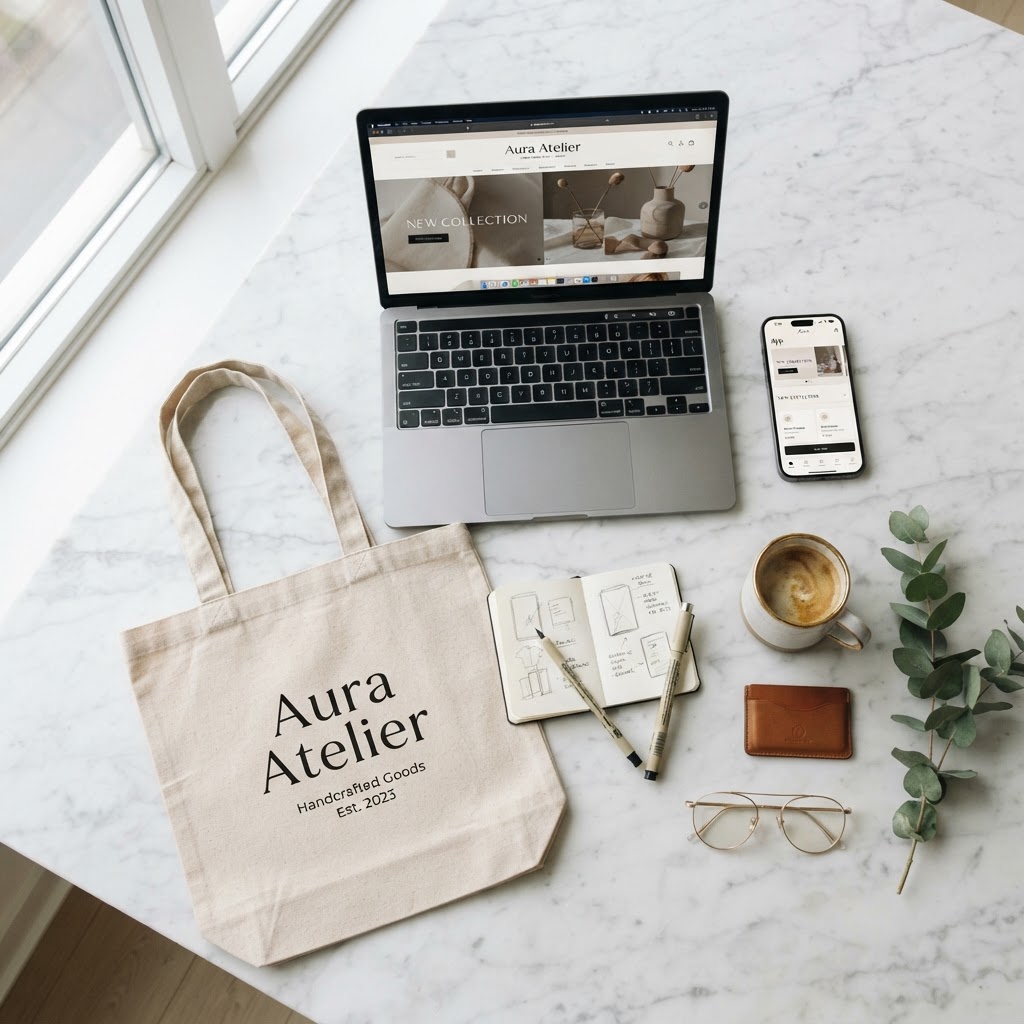
How to Present Your Design Work Like a Pro (Using Mockups That Actually Impress)
Your design is only as good as how you present it.
You could spend 40 hours on a brand identity and lose the pitch because the client couldn't visualize it on a real product. Meanwhile someone with half the skill wins because they showed their work on a mug, a tote bag, and a billboard, and it clicked instantly.
That's the power of mockups. And most designers are still doing it the slow way.
Why mockups matter more than you think
Clients, hiring managers, and even Instagram audiences don't have trained design eyes. They can't look at a flat Figma frame and feel the impact. But put that same design on a laptop screen sitting on a marble desk, or on a hoodie worn by someone walking down the street, and suddenly they get it.
Mockups do the emotional translation your flat file can't.
The 3 mockup mistakes designers make
1. Using the same 3 mockups for everything That grey phone on a white background? Everyone's seen it. Match your mockup environment to the brand's world. A streetwear drop needs gritty urban mockups. A wellness brand needs natural light and linen textures.
2. Not matching the lighting Dropping a logo with a hard drop shadow into a mockup with soft diffused lighting looks wrong immediately, even if people can't articulate why. Match your design's shadow style to the mockup.
3. Low resolution exports Mockups get zoomed in on. Export at 2x minimum. If it looks soft at full screen, it's not ready.
Generate mockups in minutes, no Photoshop needed
NewForm's mockup studio lets you drop your design into real product and device scenes without needing Photoshop smart objects or a paid mockup subscription.
Upload your design, pick your scene, download, done.
Try it free at app.newform.community/studio
Find Your Stack
Discover the perfect design tools for your workflow.
Take the 60-second quizNewForm Studio
Turn your designs into professional mockups instantly.
Open StudioMore from NewForm

Typography and Color Tools Every UI Designer Needs in 2026
The typography and color tools that actually matter for UI designers in 2026. From contrast checkers to font pairing resources, this guide covers what to use and why.
6 min read · Sep 28, 2026

UI Design Guide: Typography, Buttons, and Design Tokens Explained
A practical breakdown of three foundational UI design concepts: typography systems, button variations, and design tokens. Learn how they connect and why mastering them changes your entire workflow.
6 min read · Sep 28, 2026